

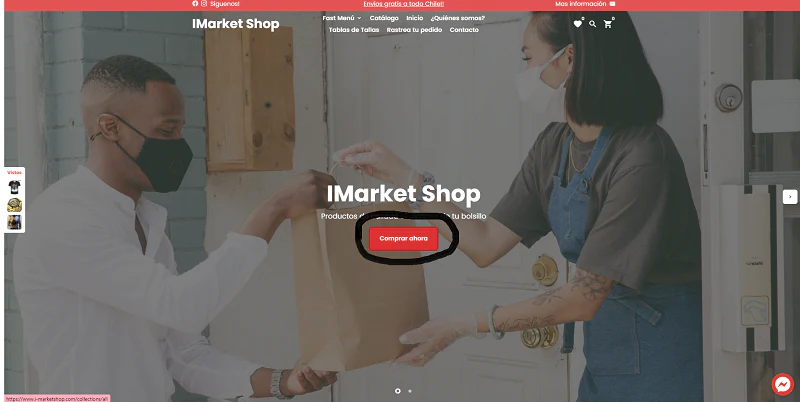


It's not a step in itself, but if you start from the top of our page you can click directly on the "Buy Now" button, where all the products available in the I-Market Shop will be displayed.
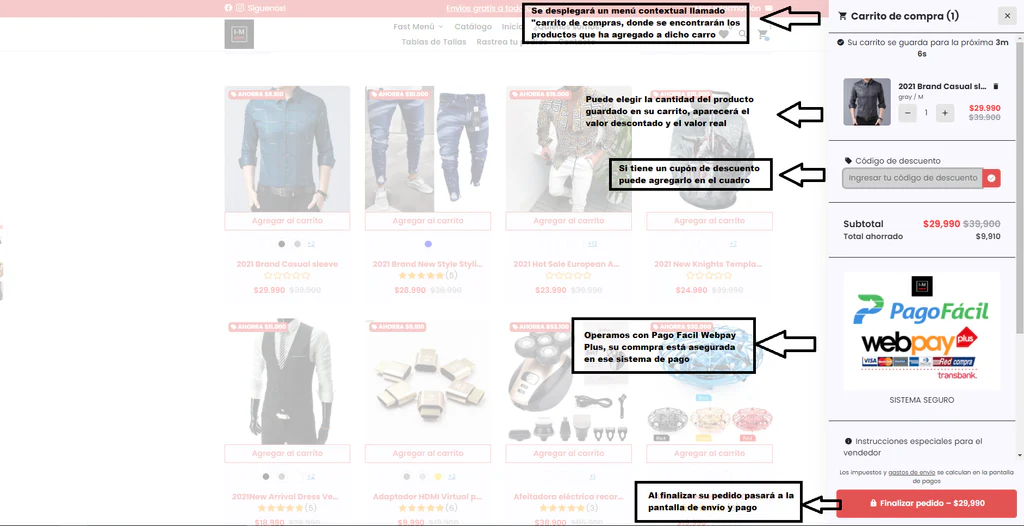
The first step is to choose your product. From the product page, you can click "Add to Cart." Your product will be added directly to your shopping cart.
The product may have additional options. In this case, since it's a shirt, it has sizes. Simply select your size and the product will be added to your cart.
The product may have additional options. In this case, since it's a shirt, it has sizes. Simply select your size and the product will be added to your cart.
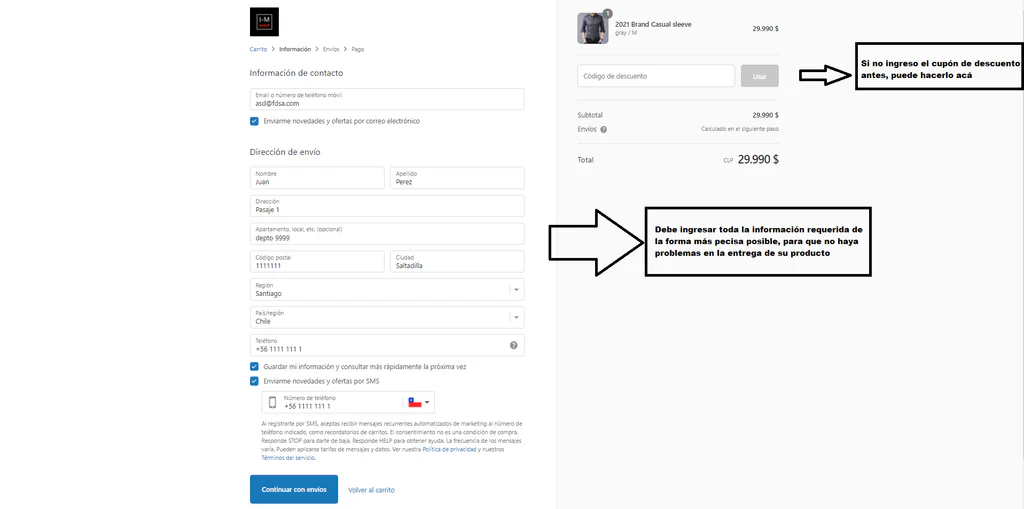
On this screen you must enter your information for shipping and billing, it is important that you enter REAL shipping data, such as your full name, address, email and contact number, you can also add your Rut to speed up the shipping process as much as possible (you can add it in the field that says optional), the more precise and detailed the information is, the less likely there is to be a problem later in the dispatch of your order, once the information is entered you can continue with Shipping.
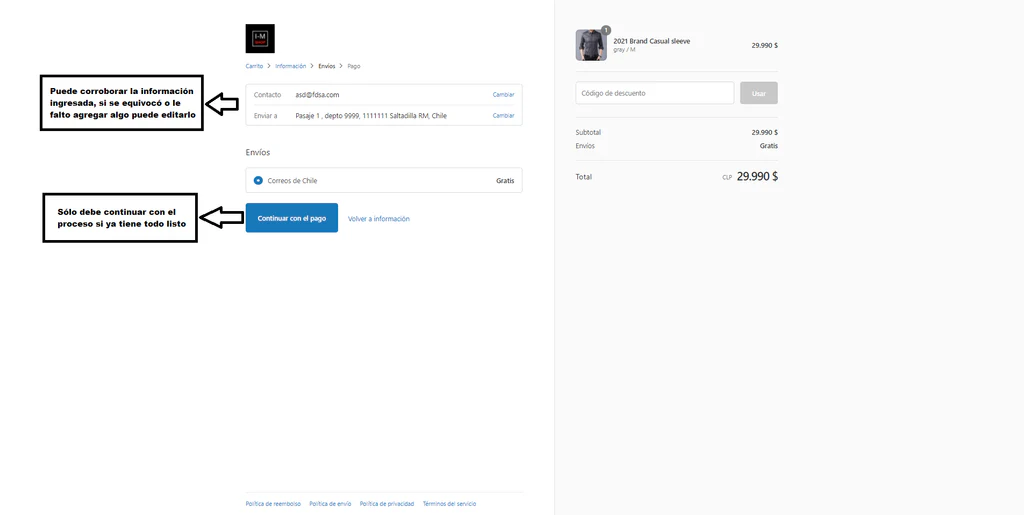
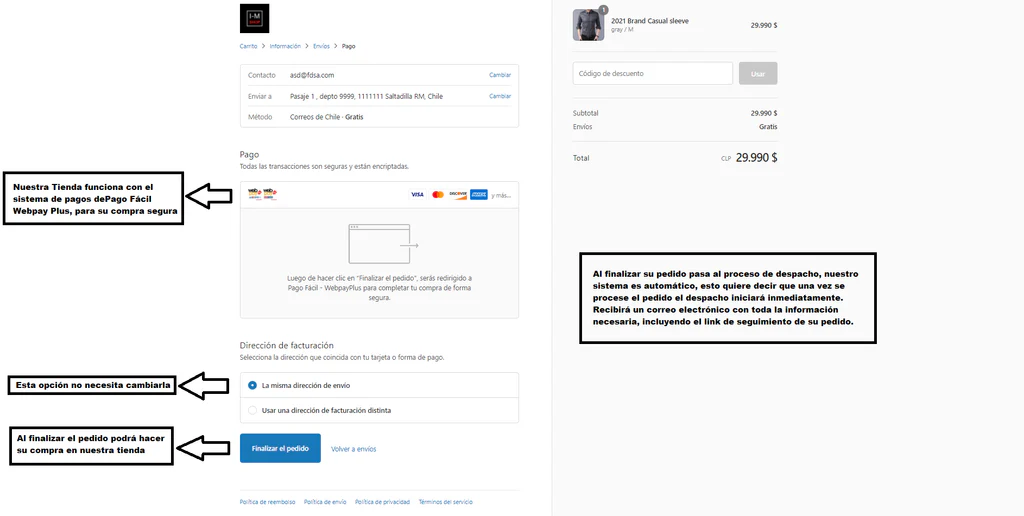
Our shipping system is free through Correos de Chile. In this section you can go back if any information is missing or you want to add something else.
This is the final section. Once you have verified all the information you entered above, you can complete your purchase process by clicking Finalize Order. Our systems will automatically register your order and begin the dispatch process.
We hope this brief tutorial helps you have a better shopping experience. If you have any additional questions, please contact us through the help button on the page or through our email: support@hungryshopping.com
Note: If you are viewing this page on a mobile device, we recommend rotating it to horizontal.
Free shipping nationwide
Secure payment with credit, debit, and merchant cards!
We have a 24/7 Support team
No account yet?
Create an Account